
AP Automation
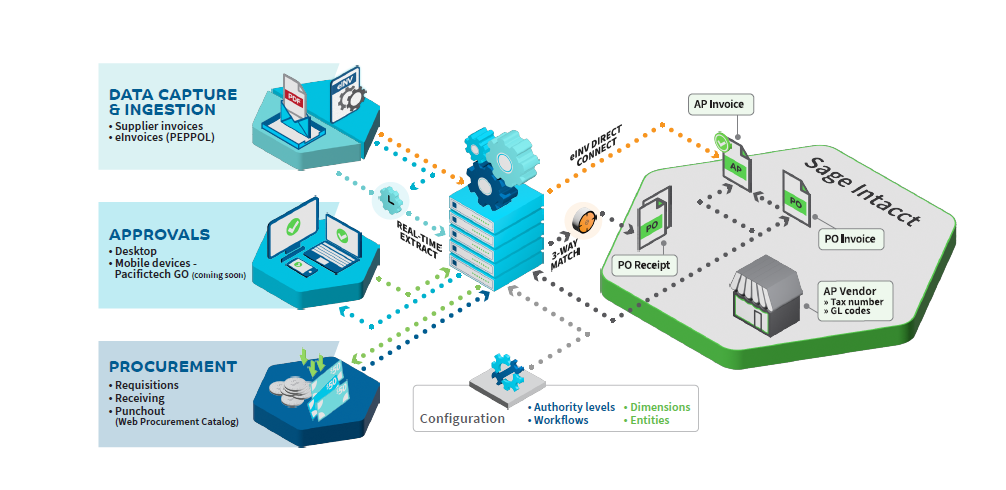
This AP Automation solution empowers companies to process supplier invoices with minimal human intervention. Key benefits include:
-
Moving towards a fully paperless and digital environment.
-
Achieving significant cost savings through automation of routine tasks.
-
Allowing AP staff to focus on higher-value activities, improving overall efficiency.
Key Features of the AP Automation Solution
The system offers flexible functionalities that can be used individually or together, depending on business needs:
-
Data Capture & Ingestion (OCR)
-
Managed via a Document Processing Service (DPS).
-
Submitted invoices appear in the console within 5 minutes, ready for review and adjustments before approval.
-
For new vendors, the system is trained on only 5 invoices per vendor, handled by AP staff without external consultants.
-
-
Approvals Automation
-
Streamlines invoice approval workflows to speed up processes and reduce manual errors.
-
Supports flexible routing based on company structure and policies.
-
-
Procurement Functionality
Includes:a. eInvoicing (PEPPOL)
-
Direct exchange of invoices between supplier and customer financial systems, even if different ERPs are used.
-
Ensures faster processing and automatic data updates.
b. PunchOut – Web Procurement Catalog
-
An online catalog hosted on supplier sites, accessible via the company’s procurement application.
-
Users can search, compare, select products, and return items to the system for approval and purchase order creation.
PunchOut Benefits:
-
View products and services with pre-negotiated pricing.
-
Simplified ordering for faster procurement.
-
Control what each user/location sees, including pricing, inventory, and branding.
-
Enable staff to place orders quickly and efficiently.
-
Why Choose This AP Automation Solution?
-
Offers options suitable for all business sizes, from small businesses to large enterprises.
-
Customizable to match monthly invoice volumes and user needs.
-
Increases operational efficiency by automating routine AP tasks.
-
Provides real-time access to supplier catalogs and product information for faster decision-making.
Workflow Document Management
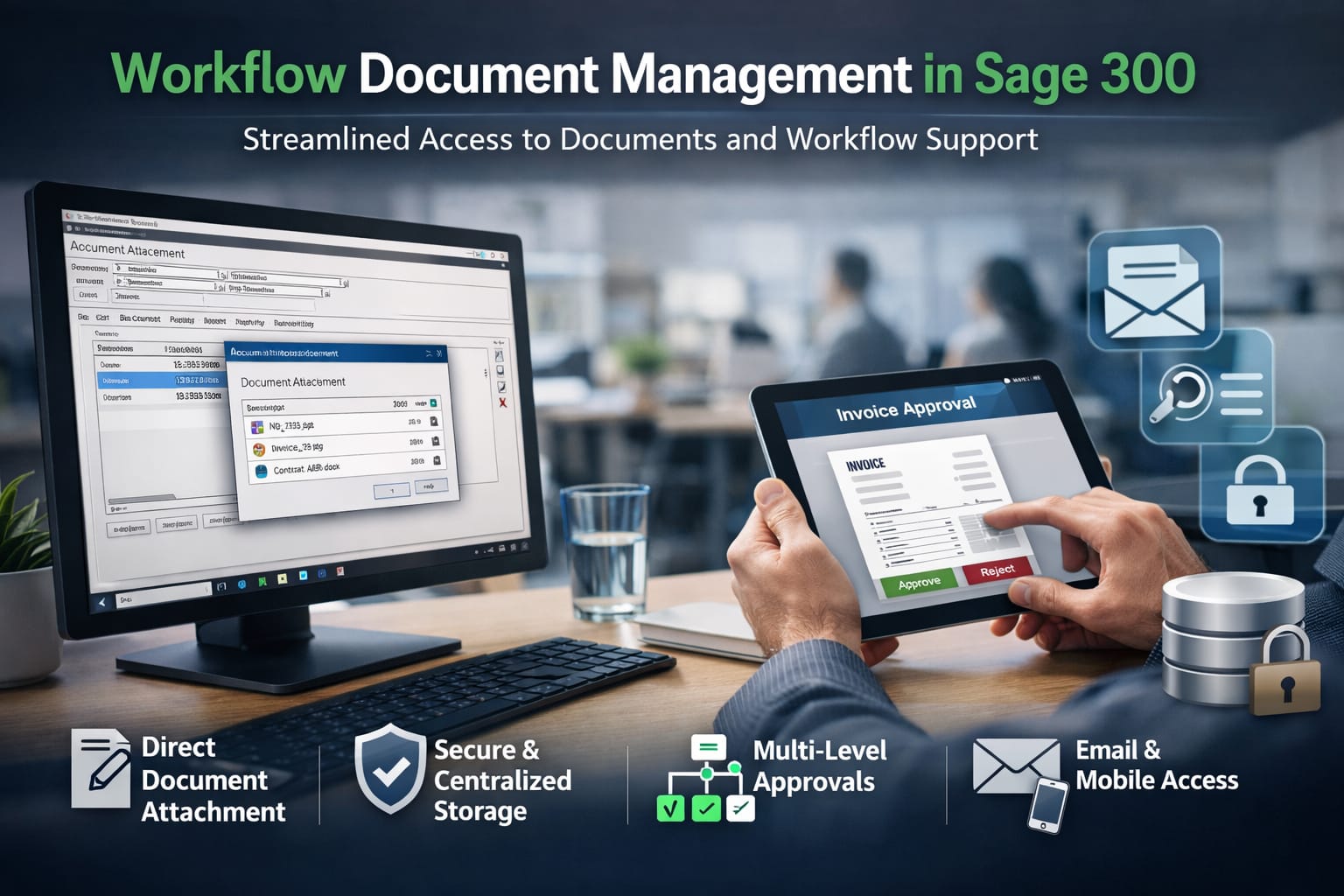
Streamlined Access to Documents and Workflow Support
The Workflow Documents module allows organizations to attach files to key transactions and master files, ensuring fast access to critical information. It supports multi-level and structured approval paths, simplifying approval processes across the organization.
Direct Document Attachment
Documents can be embedded directly into the Sage 300 database rather than linked externally. This approach ensures:
-
Data security and integrity
-
Easy access to documents at any stage
-
Enhanced audit trails and approval tracking
-
Increased efficiency and faster approvals
Seamless Workflow Integration
When combined with purchasing, payables, and workflow notifications modules, this system creates a centralized review and approval process. All supporting documents can be reviewed and approved within the same integrated interface.
Document Security and Integrity
Embedding documents directly in the database eliminates:
-
Drive mapping issues or access restrictions
-
VPN dependencies for remote users
-
Risk of document loss or manipulation
This ensures long-term document preservation, which is essential for compliance, auditing, and remote collaboration.
Easy to Use and Fully Integrated
The module is fully integrated with the standard Sage 300 interface, providing an intuitive experience with minimal training required. Users can:
-
View, manage, and approve documents directly from transaction or master file screens
-
Include documents in email notifications, allowing remote users to open and review attachments directly from the message
Workflow & Notifications
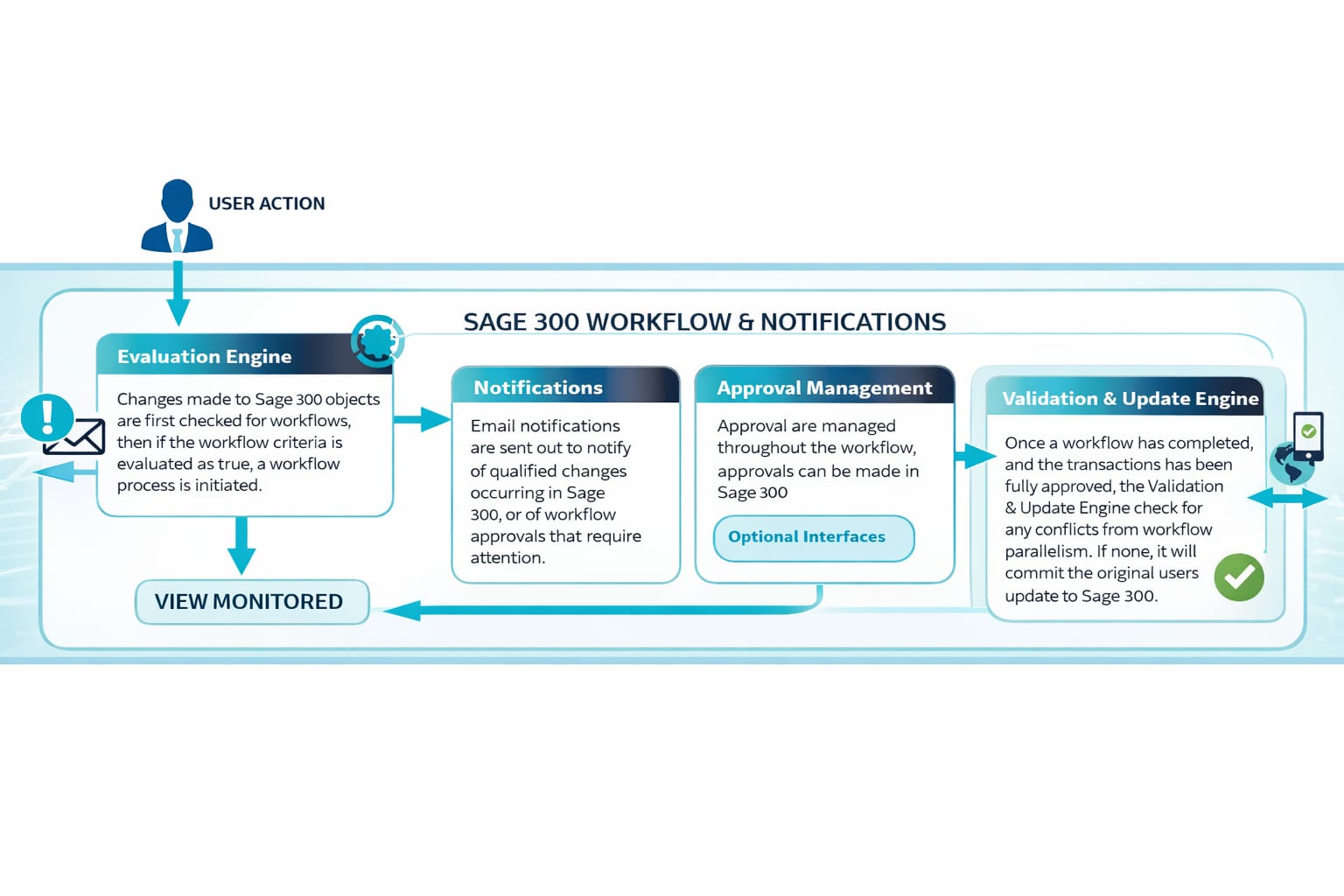
Workflow & Notifications is an essential tool for managing processes in any digital business environment. It allows organizations to design and implement workflows that align with internal policies and authority controls, providing full control over data updates, approvals, and notifications.
1. Workflows
-
Changes to key data can be captured and deferred until the workflow process is complete. Once approved, the changes are applied as intended.
-
Field constraints can be enforced to ensure updates meet required criteria. If not, the change can be sent to a workflow for proper approval.
-
Batch transactions can be managed so that declined transactions are moved to new batches for rework.
2. Notifications
-
Notifications can be triggered for a wide range of data and views.
-
Recipients can be pre-defined to receive real-time alerts when important changes occur.
-
VBA macros can be launched automatically as part of a workflow step or notification event, enabling complex, tailored solutions.
3. Web and Mobile Approvals
-
The Approval Console provides a centralized interface where approvers can see all documents requiring their approval.
-
A web-based Approval Console allows remote access, with approvals synchronized with the organization’s main system over the internet.
-
Mobile access is also supported, providing executives with the ability to approve workflows on the move.
4. Batch-Based Workflows
-
Users create batch transactions as usual. When a batch is set to “Ready to Post,” all transactions are evaluated for workflows.
-
If workflows are triggered, the batch status changes to “Awaiting Approvals” and remains locked until all workflows are completed.
-
Once approved, the batch is ready for processing. Declined transactions, such as payments, can be removed or moved to a new batch for rework, similar to error batch handling.